
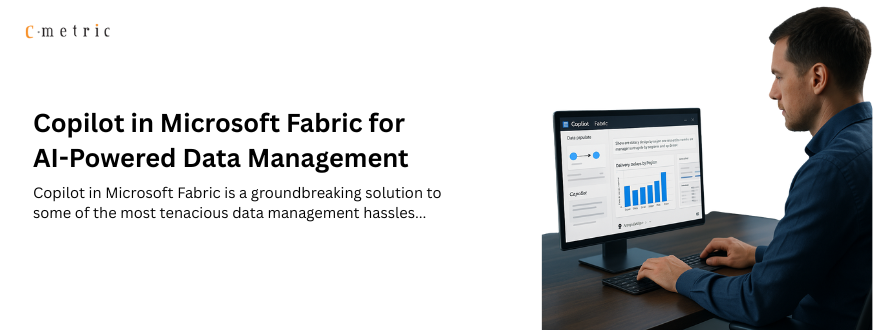
Copilot in Microsoft Fabric for AI-Powered Data Management
Copilot in Microsoft Fabric is a groundbreaking solution to some of the most tenacious data management hassles, such as manually collecting data from different resources, creating pipelines, and data visualization.
Copilot understands the intent and locates the relevant data using natural language, whereas Microsoft Fabric integrates and models that data into a unified ecosystem seamlessly.
In the section ahead, we’ll explore more about Copilot in Microsoft Fabric and how this integration can streamline AI-powered data management.
What is Copilot in Microsoft Fabric?
Copilot in Microsoft Fabric is a generative AI assistive technology built to smooth out the entire data lifecycle for Microsoft Fabric users.
In this ecosystem, Copilot, Microsoft’s AI-powered assistant, is embedded across the Microsoft Fabric service and empowers users to interact with their data using natural language, eliminating the need for complex coding or any sort of manual configurations.
Let’s say you need to analyze delivery performance across the region. The standard workflow might look like this:
Manually pulling data from multiple sources → writing transformation scripts in Python → joining tables → cleaning null values → building a Power BI dashboard.
But, with Copilot in Microsoft Fabric, you can simply type:
“Show me delivery delays by region over the past 6 months and highlight areas with the highest average delay.”
Copilot will do the rest. From understanding the request to creating the Power BI dashboard, all will be done in under a minute. It can even explain the logic behind the pipeline.
Copilot in Microsoft Fabric writes code, builds data pipelines, and can even create extensive data visualizations in different Fabric workloads, such as Power BI, Synapse, Data Activator, and Data Factory.
But how you’re going to use Copilot in Microsoft Fabric varies based on the workload.
For example, Copilot in Power BI Desktop is only available to users who have access to a workspace using Fabric capacity, whereas Copilot in Data Factory is accessible to those who have paid for Fabric capacity, along with an admin-enabled tenant switch and compliance with regional Azure OpenAI settings.
How Does Copilot in Microsoft Fabric Work?
Before you plan to start using Copilot in a Microsoft Fabric workload, it’s crucial to understand the fundamentals. Here is a quick overview of how Copilot in Microsoft Fabric works.
User Input
The user provides inputs either by using written prompts or button selection, which generates the prompts automatically. The inputs could be prompts. User tokens, session history, and metadata of the user’s context in Fabric.
Input Processing by Copilot
- Upon receiving the inputs, Copilot performs grounding and collects contextual data, like visual reports, chat history, and schemas.
- Based on the grounding, Copilot augments the prompts, which is way better and more contextual compared to the user’s input prompt.
- Prompts and grounding data may be cached for 48 hours (in the browser and tenant region) for faster, consistent results.
- Copilot sends the augmented prompt to the Azure OpenAI Service, which hosts GPT models.
Key note: Your data is not used to train models, OpenAI has no access to your data, and grounding calls are routed through Azure, not the public internet.
Processing by Azure OpenAI
All the Copilot processing is powered by Azure OpenAI. Currently, Copilot uses a combination of GPT models, and you can’t change them.
- Azure OpenAI breaks inputs into tokens, which determine capacity cost. Each token will have a unique numerical ID.
- LLMs generate responses using embeddings and probabilities, producing text outputs (natural language, code, or metadata). Outputs produced here are non-deterministic; the same input may yield different results.
Postprocessing by Copilot
Copilot performs extensive postprocessing as it receives the output tokens to ensure their accuracy. It’s a multi-step process involving steps like
- Performing responsible AI checks to ensure compliance with Microsoft’s standards.
- Filtering and refining the LLM responses using content moderation.
- Enforcing scenario-specific constraints through code parsing and validations of visuals and reports.
- Making additional LLM calls to improve the output and make it more contextual rich
- Producing the final output (text, code, visuals, or explanations) for the user.
Final Output
After all these processes, Copilot returns the final output to the user in the form of metadata, code, or natural language. Mostly, the output is rendered in the user interface of Power BI Desktop or Fabric.
- User intervention in the output is allowed before an output is displayed or evaluated and can only be done when an output is a code or a measure description in a semantic model.
- Outputs related to data questions, code explanations, and a report page generation are fully automated and don’t accept user intervention.
How Much Does It Cost to Use Copilot in Microsoft Fabric?
Now comes the legit question: “How much do I have to pay to use Copilot in Microsoft Fabric?”
Well, it depends on the token consumption. When you use Copilot in Microsoft Fabric, both your input (your prompt + grounding data) and output tokens (AI’s responses) are counted, which further consumes your Fabric capacity.
Since large language models (LLMs) process text one token at a time, longer prompts and more detailed outputs = higher token usage = higher cost.
Suppose you type: “Summarize sales by region for the last 12 months and create a Power BI chart.”
- Input tokens: Your prompt + Copilot’s grounding data (schemas, metadata, history) = ~200 tokens
- Output tokens: Copilot generates a DAX query + a chart description = ~400 tokens
- Total = 600 tokens consumed → deducted from your Fabric capacity.
One easy way to reduce the cost of Copilot in Microsoft Fabric is to take advantage of its caching mechanism. If you repeat the same query within 48 hours, you can get an output without additional token consumption.
Why? Because Copilot can reuse stored context.
Here are a few sure-shot ways to keep a check on the cost of using Copilot in Microsoft Fabric.
- Write short, accurate, and informative prompts. Try not to miss critical information, as LLMs might make additional calls during the output generation process to make the output more relevant.
- Use clean and well-structured data. This reduces token consumption during grounding.
- Validate output before they have been evaluated to avoid trial-and-error queries.
- Keep a check on Copilot’s impact on Fabric capacity and create an allow list for users to avoid overconsumption.
- Train employees beforehand to avoid irresponsible and unmindful usage.
- For complex and high-usage scenarios, separate Copilot from the rest of the Fabric workloads.
In short: Efficient prompts + smart governance = lower token consumption and cost-effective Copilot usage.
Limitations of Copilot in Microsoft Fabric
Data management capabilities of Copilot in Microsoft Fabric are laudable, and we get that. However, are they sufficient to ignore certain obvious limitations? Of course not.
Hence, you should be aware of the notable limitations of Copilot in Fabric before moving ahead.
- The same prompts may produce different outputs.
- Outputs may be of low quality or lack business-critical insights. You must validate output before relying on it for decision-making.
- You don’t have any control over the GPT models used for your outputs.
- Copilot only takes the data and context offered into consideration. Hence, missing any crucial information in the input leads to irrelevant or misleading outputs.
- Copilot only works with the data and context provided in the prompt or grounding process. If critical information is missing, the output may be irrelevant or misleading.
Final Say
Copilot in Microsoft Fabric has undeniably reshaped the way organizations approach data management. It has reduced the hours of manual efforts to minutes. That said, we must not forget that Copilot in Microsoft Fabric is not a silver bullet that you can dodge just like that. Its outputs are powerful but not infallible.
Businesses must remain mindful of limitations, costs, and governance requirements associated with the implementation of Copilot in Fabric. The real value lies in striking the right balance: let Copilot handle the repetitive, time-consuming tasks, while humans provide the judgment, context, and critical thinking that AI cannot replicate. If you are planning to leverage comprehensive set of services on the Microsoft platform to gain a 360 degree of technical support, connect with Our Microsoft consultants to end to end Microsoft services to unlock the true business value, gain maximum ROI and competitive advantage.